How about flipping through Google+ or Facebook and watching a movie on your tablet? Sure you can fire up the TV and watch it while you "Tab" it. What if you could watch that same movie on your tablet while using favorite app on your tablet or phone?
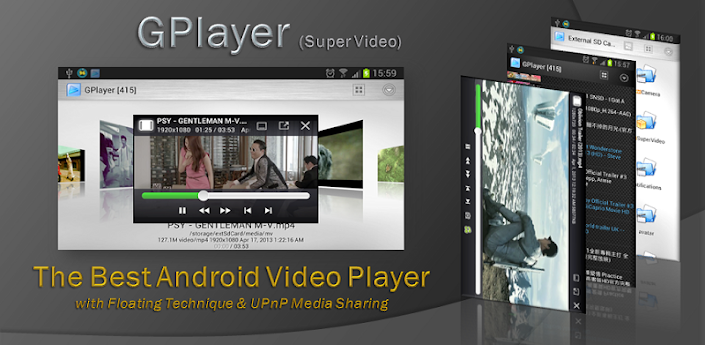
Gplayer (Super Video Floating)
Have you ever found yourself with a cluttered screen and had to make the decision to remove some app and folders from it. You usually end up deleting one app cause you think you use the other one more and then it becomes a back and forth game. What if you could have any app on your screen, but be invisible until your ready for it.

Floating Banner by GPC does this in a very effective way. The free version allows you to add three widgets and 5 apps. It wasn't long before I saw the potential of the app and went pro. Whatever version you pick the app works the same.
On your home screen you should see a floating cloud in the top left corner. Click on it and your Floating Banner will appear. You can re-size the banner by holding the bottom right corner and dragging it. The green dots at the bottom are the scroll bar, which allows you to access everything you chose. On the top of the banner there are shortcuts to a voice recorder, GPlayer, add more apps, refresh, and close. Play with the setup options until you find the right look and feel that fits your needs.
Floating Banner 2.0
Still have a cluttered screen? If you are anything like me then I am sure you have more then just a few apps that you use regularly. But having them all on your screen requires either a bunch of folders or multiple screens.

Unless you use the next item on the list, Floating Menu. This has become one of my favorite apps quick. Setting this one up is as easy as enabling it, checking which apps you want to show on it, and picking the size to be displayed on the screen. It will then sit on either the left or right side of your screen.
Word of caution though, don't use too many apps with it, because you want to allow it to move freely up and down freely as not to get in the way of the keyboard while typing. Also some apps like Google+ have a button in the top right corner. The only downside to the app is the lack of a fade option. This would come in handy while trying to read but for the ability it brings I have been able to look past this limitation because it remains responsive when set to a small size.
Floating Menu (Free)
Floating Menu
What about those moments where you just want to write something down for later on.

For quick notes try Floating Stickies. This is not an app for full-on note taking but for quick reminders. It has three different colors: blue, yellow, and pink. The note can be stored by dragging it to the left side of the screen. When you are fished with it, clicking the x will delete it.
Floating Stickies
How about quick web surfing?

Popup Web Browser is good when you want to search something and compare it to another webpage side by side. I wouldn't recommend setting it as your default browser though as with my experience it has an issue downloading things.
Popup Web Browser
Do you need a quick camera?

Pop-up Camera is nice as long as you use the widget. Opening the app from the app icon gives you full screen but the widget gives you a small screen for those in a hurry shots. It comes in both the free and the pro versions.
Popup Camera(No Sound)
Ultimate Popup Camera(No Sound)
What about music? Yep got that one covered too.

Audio Master Floating is made by the same people that make GPlayer and Floating Banner. So you know it's your answer to music. It doesn't have any major frills, but it does play music and it does have the volume shortcut keys for next and previous song while the screen is off.
Audio Master Floating
How many of you actually look forward to using your status bar?
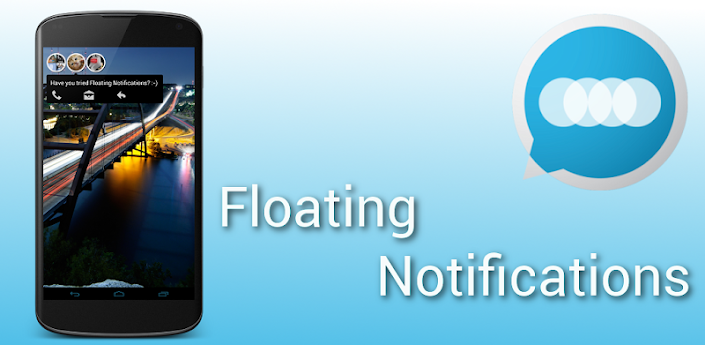
Floating Notifications is bar far my most favorite app in this list. It can be set up to display any notification app in a floating icon on your screen. Current development is.... a secret..... but big, big things are expected for this app.
You can see all of these in action in the video below, with the exception of GPlayer and Pop-up Camera. I use Screencast to record my videos and it can not record videos being played on the screen.
Recent suggestions have got me examining apps that could replace or even compliment some on this list. Check back later to see if any of these get replaced.

No comments:
Post a Comment